
Indoor Solar Camera: Can It Charge Through a Window?
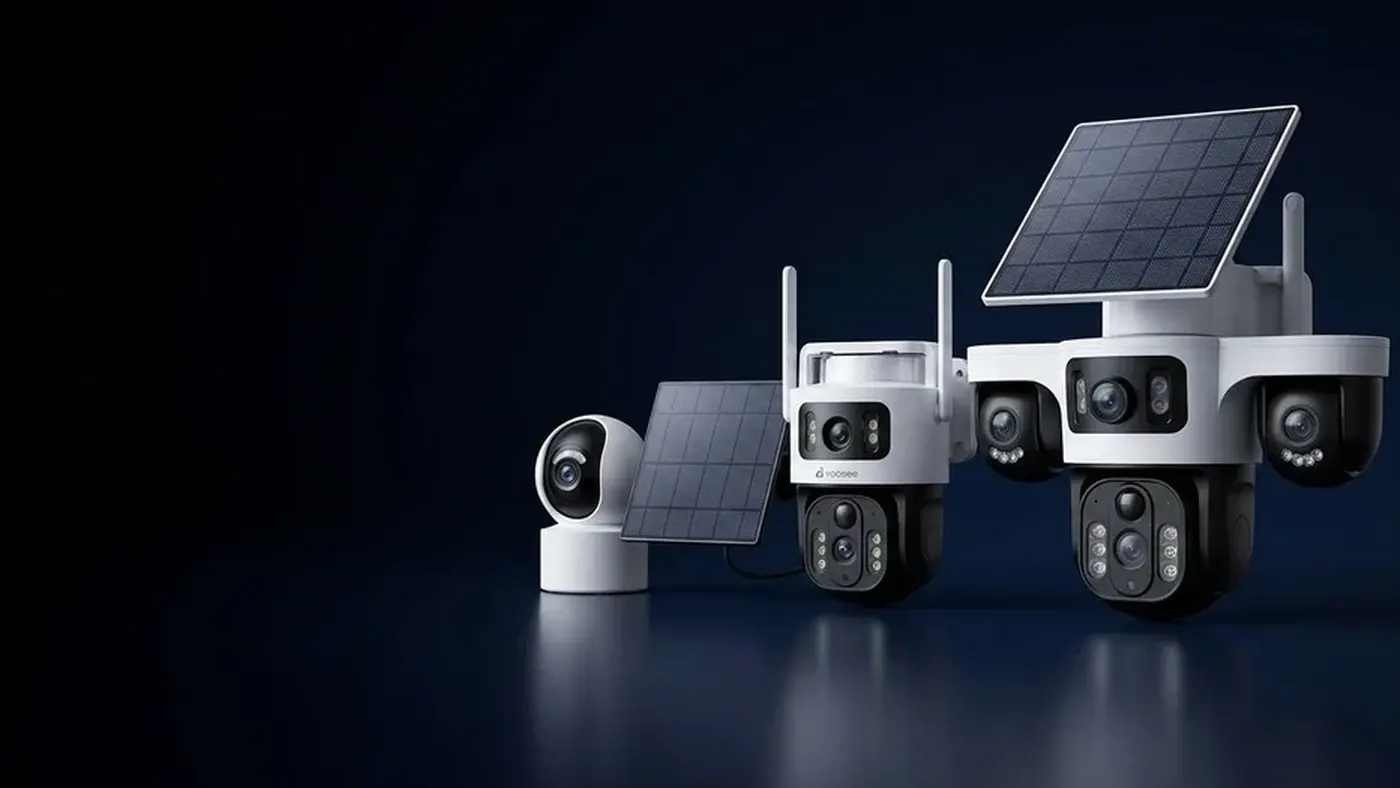
An indoor solar camera sounds convenient, but it rarely works as people hope. Room lighting is far too weak to keep a solar panel camera charged, and a panel stuck behind window glass gets noticeably less light than the same panel outside, often only for part of the day. The arrangement that does work is to keep the camera wherever you need it and put the panel outside, with its cable brought in through the window frame or a wall. If the camera will live indoors permanently, a plug-in camera is usually the simpler choice.
Why room light will not charge a solar camera
A solar panel turns light into power, and the amount of power follows the amount of light that lands on it. Indoors, even a room that looks bright to you is very dim compared with open daylight. Your eyes adjust so well that you do not notice the difference, but the panel does.
Household lamps make it worse. They are designed to light a room for people, not to deliver energy onto a small flat surface, and most of their output never reaches the panel at all. A camera on a shelf in a lit living room is, from the panel's point of view, sitting in the dark.
So what does "indoor solar" usually mean in practice? One of three things:
- A panel on a sunny windowsill or stuck to the glass. This can produce some charge. Whether it is enough depends on the window, covered below.
- A camera that is mostly charged by cable and has a small panel that only slows the drain. That is fine, as long as you treat it as a USB-charged camera and expect to top it up.
- A misunderstanding of the product. Most solar panel cameras are designed for outdoor mounting. Check the manual for your model: if it says the panel needs direct sunlight, it means outdoors, facing open sky.
What a window takes away
Sunlight coming through a window is not the same as sunlight on an outdoor panel. Several things cut into it, and they add up.
The glass itself. Every glass surface reflects some light back outside. A single clear pane loses a modest amount, double or triple glazing has more surfaces and loses more, and the loss grows when the sun hits the window at a steep angle rather than straight on.
Coatings and tint. Many modern windows carry an energy-saving coating or a tinted or reflective film. These are made to block part of the sunlight to keep the room cool, and some of what they block is light the panel could use. A window that still looks clear to you can be a poor window for a panel. If your glass has a faint colour cast or a mirror look from outside, assume a bigger loss.
Screens, bars and blinds. An insect screen casts a fine shadow over the whole panel. Bars, a frame divider or a half-closed blind can shade part of it, and partial shade on a panel tends to cost more output than the shaded area suggests.
Direction and hours. An outdoor panel on a bracket can be aimed at the sunniest part of the sky. A window faces whatever way the wall faces. A window that only gets direct sun for an hour or two in the morning gives the panel a short charging window each day, and in winter that window may shrink or disappear as the sun sits lower and neighbouring buildings cast longer shadows.
Dirt on both sides. You now have two surfaces to keep clean, the panel and the outside of the glass, and the outside of a window is often the one nobody cleans.
Heat. A panel or a battery camera pressed against sunny glass can get very hot, because the heat has nowhere to go. Heat is hard on batteries. If the device feels hot to the touch on the sill, that location is a problem even if charging looks fine.
None of this means a window can never work. A clear, single-glazed window facing the midday sun, with no screen, and a camera that is triggered only a few times a day, may well keep up. But you need to test it rather than assume.
How to test whether your window is good enough
Do not judge by one sunny afternoon. A solar camera setup only works if the energy coming in matches the energy going out over a typical week, as explained in how long a solar security camera battery lasts.
- Charge the camera fully by cable first, so you start from a known level.
- Put the panel exactly where it will stay, touching or very close to the glass, angled as squarely toward the sky as the sill allows. Remove any screen in front of it if that is practical and safe.
- Leave the camera on its normal settings. Testing with motion detection turned off tells you nothing about real use.
- Open the app at the same time every day and note the battery level shown for the camera. On most models it appears on the device list or in the camera's settings page; the exact menu name may differ slightly by app version.
- Check whether the charging indicator ever appears during the sunniest hours. Some models show a small charging icon or a solar status in the app, some show it only on the device; check the manual for yours.
- Read the trend after about a week. If the level holds or rises, the window is workable. If it drops steadily even in good weather, it will only get worse in cloudy weeks or winter.
If the level falls, compare with a quick outdoor check: put the panel outside in open sun for a day with the same settings. If outside clearly beats the window, the glass is your bottleneck. If the camera does not charge even outdoors, the problem is something else, and the solar camera not charging guide walks through the cable, the panel and the battery in order.
The setup that works: panel outside, cable through the frame
The reliable fix is to separate the two jobs. The panel goes where the light is, outside. The camera goes where the view is, which may be indoors looking out, or outdoors on the wall.
This only works on models with a separate panel on a cable. Cameras with the panel built into the body cannot be split, so check yours first.
Plan the route before you mount anything
- Pick the panel spot first. It needs open sky for most of the day, especially in the worst month of the year. The full checklist for direction, tilt and shade is in where to mount the solar panel for a security camera.
- Measure the cable path, not the straight line. Follow the route the cable will actually take: down the outside wall, through the frame, along the inside sill, up to the camera. It is almost always longer than it looks.
- Do not improvise an extension. Cable length and any compatible extension are specific to the model. The wrong cable or connector can mean weak charging or damage. Ask the seller what is supported for your unit.
Getting the cable inside
There are a few common ways, from least to most permanent:
- An existing opening. A vent, an air conditioner pipe sleeve or a gap already sealed around another cable is often the easiest path, as long as you can reseal it.
- Through the window frame or seal. On some sliding windows a thin cable can pass at the corner without stopping the window closing. Check that it is not pinched every time the window shuts; a crushed cable fails slowly and intermittently, which is hard to diagnose later.
- A small hole through the frame or wall. This is the neatest long-term option. Drill slightly downward toward the outside so water cannot run in, fit a grommet, and seal around the cable. The connector usually will not fit through a cable-sized hole, so plan which end goes through first.
Safety first. Before drilling, check for hidden electrical cables and pipes in the wall. If you are not sure what is behind the surface, or if the work involves a ladder at height or touching any mains wiring, switch off the power and get a qualified electrician or installer to do it. If you rent, check with your landlord before drilling, and check local rules for anything mounted on the outside of a building.
Weatherproof the outdoor part
- Leave a drip loop where the cable comes off the panel and again before it enters the building, so water drips off the bottom of the loop instead of following the cable inside.
- Clip the cable down along its run so wind does not chafe it.
- Keep the connector out of standing water and away from places where it sits in a puddle on the sill.
If the camera stays indoors and watches through the glass
Moving the panel outside solves charging, but a camera looking out through a window has its own quirks.
Motion detection may not see through glass. Many battery cameras rely on a heat-sensing motion sensor to wake up. Ordinary window glass blocks the body heat that this kind of sensor looks for, so the camera may not trigger when someone walks past outside. Whether your model uses this type of sensor, picture-based detection, or both, depends on the model; check the manual. If people outside never trigger alerts, this is the likely reason.
Night vision bounces off the window. The infrared lights around the lens reflect off the glass straight back into the camera, so at night you see a white glare or your own room instead of the street. Pressing the lens right up against the glass and blocking the gap around it helps. Otherwise, if your model and app version offer a night vision or infrared setting, switch infrared off and rely on an outdoor light instead.
If these limits matter for what you want to watch, the honest answer is to mount the camera outdoors with its panel, which is what these cameras are built for.
When a plug-in camera is the better answer
If the camera will spend its whole life indoors, solar adds cost and hassle without adding much. A camera powered from a wall socket never needs charging, can record continuously if the model supports it, and avoids the battery wear that comes from repeated deep drain. Solar makes sense where there is no convenient socket, such as a gate, a shed or a fence line, not on a bookshelf.
Cloudy climates are a separate question from glass. If your outdoor panel struggles in long grey spells, see whether solar cameras work in cloudy weather before blaming the hardware.
When to get help
- You need to drill through a wall or work at height. Use a qualified installer, and switch off power if there is any wiring nearby.
- The camera does not charge even with the panel outdoors in full sun. That points to the cable, connector, panel or battery. Contact the seller with a note of what you tested and the battery levels you recorded.
- You are not sure whether your model has a detachable panel or which extension cable is compatible. Ask the seller for your exact model rather than buying a generic cable.
- The device gets very hot on the windowsill. Move it out of direct sun behind glass and ask the seller whether that location is within the model's operating conditions.
Frequently asked questions
Can I charge a solar camera under a lamp or LED light?
Not in any useful way. Indoor lamps deliver only a tiny amount of energy onto a small panel, far less than daylight, so the battery will drain faster than the lamp can refill it. If you need to top it up indoors, use the charging cable that came with the camera.
Will a solar panel work behind a tinted or double-glazed window?
It will usually produce something, but less than the same panel outside. Each pane reflects some light, and tints and energy-saving coatings are designed to block part of the sunlight. Test it for a week with the camera on normal settings and watch whether the battery level holds.
Is a balcony or covered porch good enough for the panel?
Only if the panel actually sees the sky. A panel under a balcony overhang or porch roof is often in shade for most of the day, even though the area feels bright. Place it at the edge where it gets direct sun during the middle of the day, and check again in winter when the sun is lower.
Why does my camera behind a window never record people outside?
On many battery models, the motion sensor that wakes the camera detects body heat, and window glass blocks that heat. The camera can show a clear live picture through the glass but still never wake up on its own. Check which detection method your model uses, or move the camera outside.
Can I stick the panel on the outside of the glass with suction cups?
Some people do, and it avoids the glass loss, but it is only as good as the window's direction and the grip of the mount. Suction mounts can loosen with heat and cold, so check the panel regularly, keep the cable secured, and make sure a falling panel could not hit anyone below.
Does a solar camera need direct sun, or is bright daylight enough?
Bright daylight without direct sun does produce some charge, which is why panels still work on overcast days. But direct sun on an unshaded panel produces much more. A window that only ever gets indirect light is unlikely to keep a busy camera charged.