
Rechargeable Security Camera: Built-In vs Removable Battery
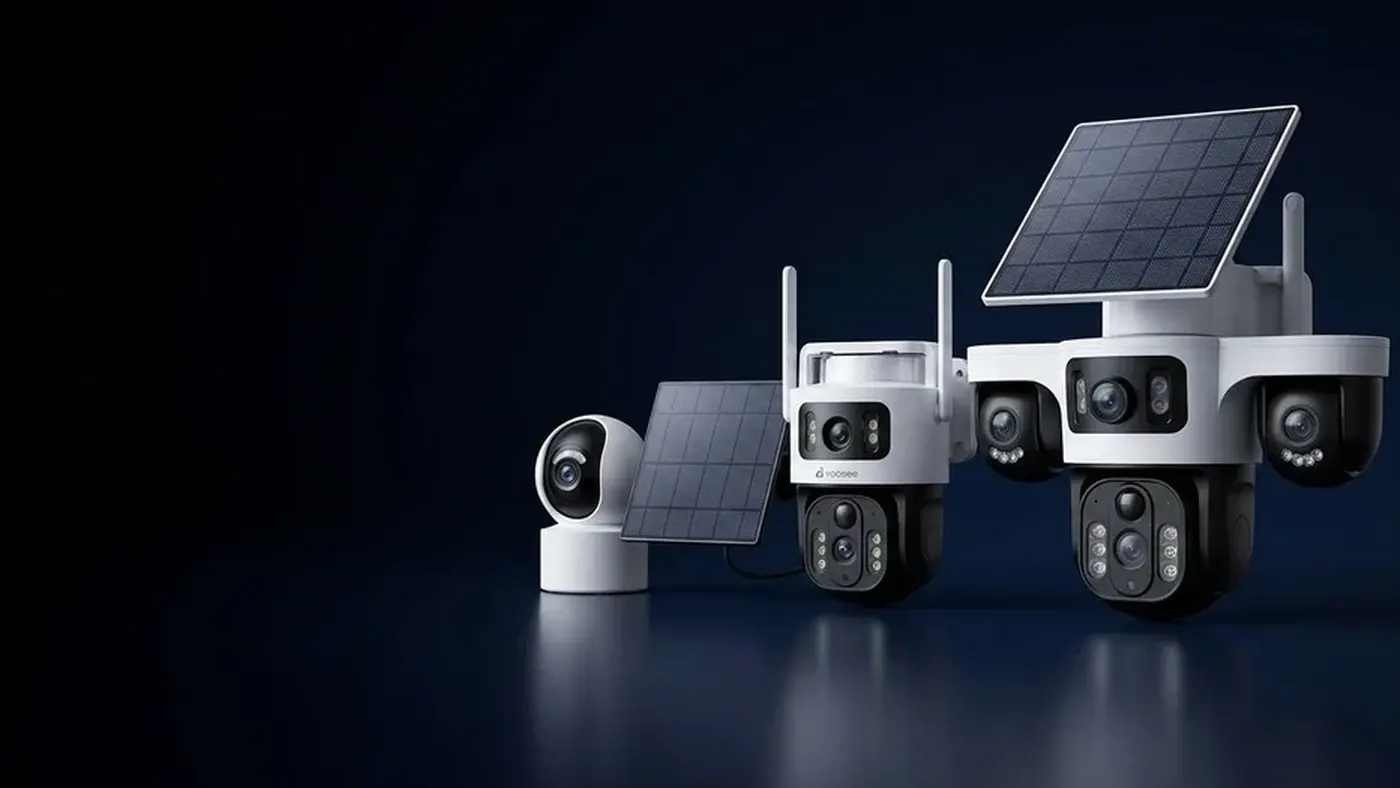
A rechargeable security camera comes in two basic designs. With a built-in battery, the whole camera has to come down from the wall to charge, unless you add a solar panel that keeps it topped up in place. With a removable battery pack, you slide the pack out, put a charged spare in, and the camera is back on watch in a minute or two. Which one suits you depends on how high the camera is mounted, how often it wakes up, and how long you expect to keep it before the battery starts to age.
This guide explains how each design works day to day, what to check on a product before buying, how to charge each type safely, and how battery ageing shows up differently in the two.
How the two designs differ in daily life
Both designs use a rechargeable cell inside a sealed outdoor housing, and both spend most of their time asleep, waking only when motion is detected. If that sleep-and-wake behaviour is new to you, our guide to what wire-free really means explains why battery cameras record clips rather than a continuous timeline. The difference between the two designs is what happens when the charge runs low.
Built-in battery
The battery is sealed inside the camera body and charges through a port, usually covered by a rubber flap.
- To charge it, you unclip or unscrew the camera from its bracket, bring it indoors, plug it in, wait for a full charge, then remount it.
- While it charges, that spot is unwatched. For a front door or a gate, that gap is the main drawback.
- The housing has fewer openings, which helps keep out rain and dust. There is one port flap to look after, not a battery door.
- It pairs naturally with solar. A small panel plugged into the charging port can keep the battery topped up so you rarely or never take the camera down.
Removable battery pack
The battery is a separate pack that slots into the camera or its base, behind a latch or a screw-down cover.
- To charge it, you take out the pack, insert a charged spare, and charge the flat one indoors at your own pace.
- Downtime is short if you keep a spare ready, which matters for cameras watching an entrance.
- The battery compartment is a second seal that has to close properly every time. A cover left half-latched can let moisture in.
- An aged pack can be replaced without replacing the camera, as long as compatible packs are still available for your model.
Questions to answer before you choose
Work through these in order. The answers usually make the choice for you.
- How high will the camera go? If it sits above head height on a ladder-only spot, every trip to charge means a ladder climb. A removable pack shortens that trip; a built-in battery with solar may remove it entirely.
- Does the spot get direct sun for part of the day? If yes, a built-in battery plus a panel is often the lowest-effort option. If the spot is in deep shade, solar will not help much and a removable pack becomes more attractive. For how sun and weather affect charging, see how long a solar camera battery lasts.
- How busy is the view? A camera facing a street or a shared corridor wakes far more often than one watching a quiet side wall, and wake-ups are what spend the charge. Busier views mean more frequent charging, which favours a design with less downtime.
- Can the spot tolerate a gap in coverage? If the camera covers your only entrance, a removable pack with a spare avoids unwatched hours.
- How cold do your winters get? Cold reduces usable capacity and slows charging on rechargeable cells. A pack you can bring indoors to charge warm is an advantage in a cold climate; our guide to what fails first in cold weather covers this in detail.
- How long do you plan to keep the camera? Every rechargeable battery slowly loses capacity over its life. If you want the camera to last many seasons, a replaceable pack can extend its useful life.
What to check on the product listing or box
Product pages are not always clear about the battery design, so check these points for the exact model you are considering.
- Battery type and whether it is user-replaceable. Look for wording such as "removable battery" or a photo of a separate pack. If the listing only says "built-in rechargeable battery", assume it is sealed.
- Whether spare packs are sold separately. A removable design is only useful if you can actually buy a second pack. Ask the seller before buying.
- Battery capacity. It is usually printed on the box or in the manual. Higher capacity means longer runtime under the same workload, but compare like with like: the camera's power use matters as much as the battery size.
- Charging port and input. Note the connector type and the recommended input on the label or in the manual. Use a charger that matches it.
- Solar support. Check whether the model accepts a panel through its charging port, and whether a panel is included or sold separately.
- Charging temperature range. Many cameras list a narrower range for charging than for operating. This matters if you plan to charge outdoors from solar in winter.
Features and labels vary by model, so the manual in the box is the final word for your camera.
How to charge each type safely
Built-in battery: step by step
- Open the app and check the battery level on the camera's card or in its settings, so you know how low it actually is. Menu names may differ slightly by app version.
- Take the camera down safely. Use a stable ladder, ideally with someone holding it, and avoid working above head height alone. If the camera sits on a roof edge or a high wall, consider asking someone with the right equipment.
- Dry the port area before opening the rubber flap if the camera is wet. Moisture in the port can lead to corrosion over time.
- Charge indoors at room temperature with the cable and adapter recommended in the manual. Check the charging indicator light; on most models it changes colour or turns off when full. Your manual explains what the light means for your model.
- Close the flap fully before remounting. A flap left lifted is an easy path for water.
- Remount and test: walk through the view and confirm a clip and an alert arrive in the app.
Removable pack: step by step
- Check the battery level in the app so you swap before the camera shuts down.
- Have the spare fully charged before you climb up.
- Open the battery cover or latch, slide the old pack out, and push the new one in until it seats firmly. Do this in dry weather where possible.
- Check the seal around the compartment for dirt, grit or a twisted gasket, then close the cover until it latches or the screws are snug.
- Wait for the camera to come back online in the app and test with a walk-past.
- Charge the old pack indoors using the charger or cable recommended for it, and store it in a cool, dry place out of direct sun.
Adding solar to a built-in battery
A small panel that plugs into the camera's charging port turns a built-in battery from a chore into something you mostly forget about, provided the panel gets direct light. Mount the panel facing the sun at a useful angle, keep its cable tidy with a drip loop so water runs off before reaching the port, and confirm in the app that the battery level rises on sunny days. If you are thinking about powering a plug-in camera from a separate panel-and-battery kit instead, our guide to sizing a solar panel with battery for a security camera explains how that works.
How battery ageing affects each design
All rechargeable batteries wear. Each charge and discharge cycle removes a small amount of capacity, and heat speeds that up. You will not see a sudden failure; you will notice that charges last a little less each season.
Signs that a battery is ageing:
- The camera needs charging noticeably more often than it did when new, with the same view and the same settings.
- The battery level drops quickly from full, or jumps downward suddenly.
- The camera shuts down on cold mornings even though the app showed charge the night before.
- A pack or the camera body looks swollen, or the battery door no longer closes flat.
What ageing means for a built-in battery: when capacity drops far enough, your options are a solar panel to keep it topped up, more frequent charging, or a battery service if the seller or a repair shop offers one for your model. Do not try to open a sealed housing yourself; you can break the weather seal and damage the cell.
What ageing means for a removable pack: you buy a replacement pack and carry on. This is the main long-term advantage of the design, but only if compatible packs remain available. Buy packs from the seller or the brand rather than unmarked look-alikes, which may not fit or charge correctly.
Ways to slow ageing on either type:
- Avoid leaving the camera or pack in full sun inside a hot enclosure or a parked car.
- Do not store a pack fully empty for long periods; a partial charge is usually kinder for storage. Check the manual for your model's guidance.
- Reduce needless wake-ups: shorten clip length, narrow the detection zone, and lower sensitivity if leaves or traffic trigger it.
- Charge at room temperature rather than in freezing conditions.
Simple ways to stretch every charge
Whichever design you choose, fewer and shorter wake-ups make the biggest difference.
- Aim the camera away from roads and moving branches, which cause false triggers.
- Set a shorter clip length in the recording or alarm settings, if your model offers one.
- Lower motion sensitivity one step at a time until false alerts stop but real visits still record.
- Use detection zones or scheduling where available, so the camera ignores areas or times you do not care about.
- Limit long live-view sessions, since streaming keeps the camera fully awake.
- Keep the WiFi signal strong at the mounting spot. A weak signal makes the radio work harder on every upload.
When to get help
Contact the seller or a repair service rather than continuing to troubleshoot if:
- A battery or camera body is swollen, hot to the touch while idle, or smells unusual. Stop charging it, keep it away from anything flammable, and do not puncture or open it.
- The camera will not charge with the recommended cable and adapter, even indoors at room temperature.
- The charging light behaves in a way the manual does not describe.
- Water has got inside the battery compartment or the charging port.
If the camera is mounted somewhere that needs a tall ladder or roof access, or if you are wiring a panel or adapter near mains power, switch off the power first and use a qualified electrician or installer.
Frequently asked questions
Can I leave a rechargeable camera plugged in all the time?
Some models accept a permanent power adapter through the charging port and run like a plugged-in camera, while others are designed only for battery use. Check the manual for your model before leaving it connected long term. If permanent power is easy to reach, a plug-in camera may be the simpler choice for that spot.
Can I swap a built-in battery myself?
Generally it is not recommended. Opening a sealed housing can break the weather seal and risks damaging the cell. Ask the seller whether a battery service is available for your model.
Is it safe to charge a camera battery overnight?
Use the charger or cable recommended in the manual, charge on a hard surface away from anything flammable, and do not charge a pack that looks swollen or damaged. Many cameras are designed to stop charging when full, but a sensible routine is still to unplug once the indicator shows a full charge.
Why does my camera show full battery but switch off in the cold?
Cold temporarily reduces how much power a battery can deliver, so the level shown may fall sharply once the camera wakes up and draws current. An ageing battery makes this worse. Charging indoors and adding shelter above the camera often helps.
Will a solar panel fit any camera with a built-in battery?
Only if the camera's charging port and input match the panel's connector and output. Check the manual or ask the seller which panel is compatible with your exact model before buying one.
Should I buy a spare battery straight away?
If you choose a removable-pack camera for an entrance, buying a spare at the same time is practical, since it removes the gap in coverage while charging and confirms that compatible packs are available.