
Micro USB Solar Panel for Camera: Will It Keep Charging?
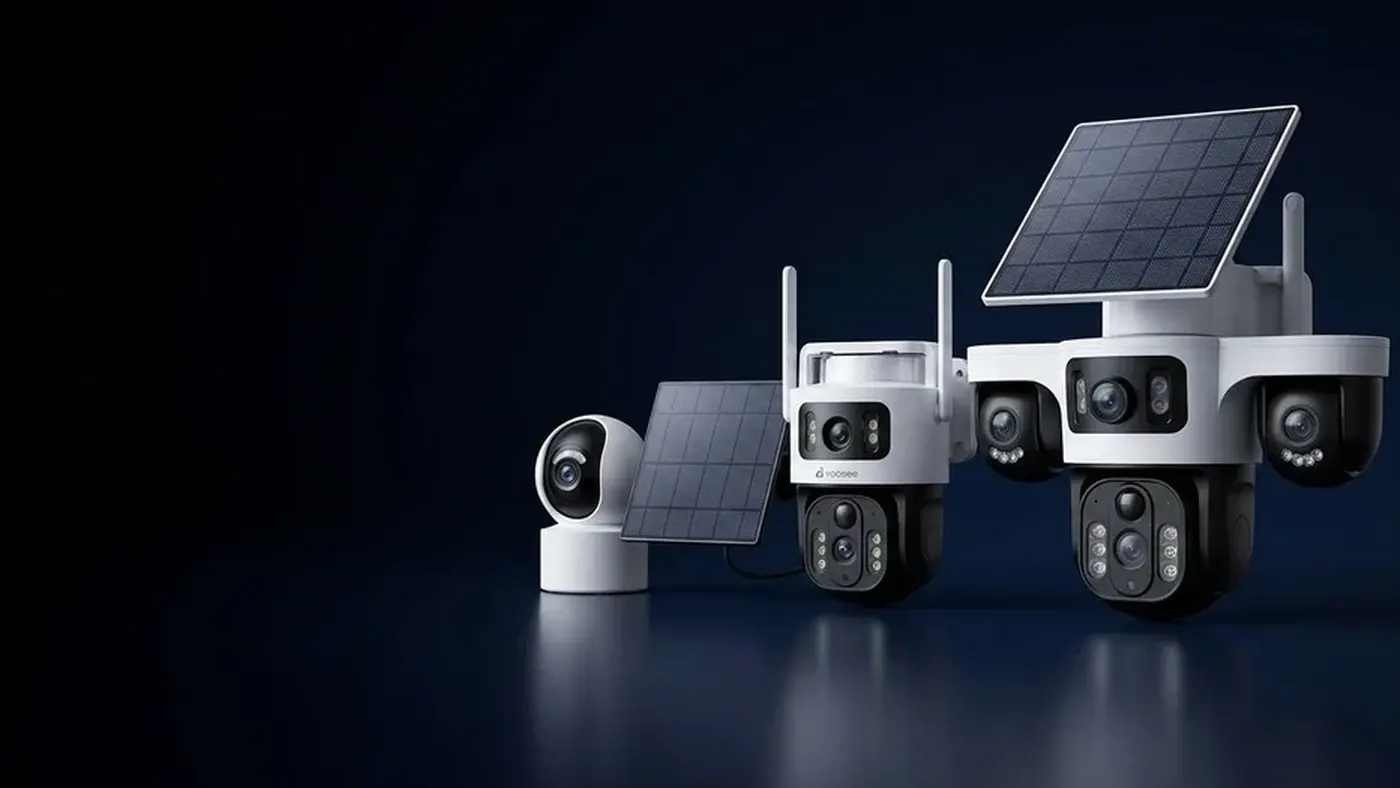
A micro USB solar panel for camera use can keep a battery camera topped up, but only in the right setup. It is a small panel that feeds USB-level power (around 5 volts) into the camera's charging port. It works when your camera has a built-in rechargeable battery and charges through a micro USB socket, and when the panel gets enough direct sun to replace what the camera uses each day. It does not work on a wired camera that came with a 12V mains adapter, and it will not keep any camera running on its own through a long dark spell. Think of it as a top-up charger, not a power supply.
The rest of this article helps you check whether your camera is the right kind, what to look for on the panel, how to install it so it actually charges, and how to tell within a few days whether it is keeping up.
Step 1: Check what kind of camera you have
Everything depends on how your camera is powered. Look at three things before you buy or connect anything.
- The power socket on the camera. A battery camera usually has a small USB charging port, often behind a rubber flap on the back or underneath. A wired camera usually has a round barrel plug on a short pigtail cable, or an Ethernet socket.
- The label and the manual. The label near the socket or on the body normally shows the input it expects, written as something like "DC 5V" or "DC 12V". The manual for your model is the authority here. If the label says 12V, a micro USB panel is the wrong product.
- What came in the box. If the camera shipped with a mains adapter that it must stay plugged into, it is a wired camera. If it shipped with only a USB charging cable and says to charge it before first use, it is a battery camera.
Some cameras sold as solar models already come with a matching panel. If yours did, use that panel first; it was chosen for that camera. A separate micro USB panel is mostly useful for battery cameras that were sold without one, or to replace a damaged original.
Micro USB or USB-C?
The two plugs look similar from a distance but do not fit each other. Some battery cameras use USB-C and others use micro USB, depending on the model and when it was made. Check the socket shape closely, or compare it to the cable in the box, before ordering. Adapters between the two exist, but every extra joint outdoors is another place for water and corrosion to get in, so a panel with the correct plug is the better choice.
Step 2: Why it cannot power a 12V camera
This is the most common mistake. A wired camera that came with a 12V adapter needs a steady supply at that voltage, all day and all night. A micro USB panel delivers USB voltage, which is lower, and only while light is falling on it.
Connecting the two with an adapter cable does not solve this. The camera will either not start at all, or start and then reboot repeatedly, which shows up in the app as a camera that keeps going offline. Even a step-up converter would not help at night, because the panel produces nothing after dark and a wired camera has no battery to fall back on.
If you want to run a 12V camera from the sun, you need a different kind of system: a larger panel, a charge controller and a separate battery. That setup is covered in our guide to sizing a solar panel with battery for a security camera. The small USB panel in this article is a different product for a different camera.
Step 3: What "top-up" means in practice
A battery camera spends most of its time asleep and wakes when its motion sensor fires or when you open live view. Each wake-up uses a little energy. The panel's job is to put that energy back during the day.
So whether a micro USB panel "keeps it charging" comes down to a simple balance:
- Energy in: how much direct sun the panel gets, how big it is, and how efficiently the camera accepts the charge.
- Energy out: how many times the camera wakes per day, how long each clip lasts, how often you watch live, and how much night vision it uses.
If energy in exceeds energy out over a typical week, the battery level stays high. If it is smaller, the panel only slows the decline, and you will still need to bring the camera inside for a charge from time to time. A camera facing a busy street will drain faster than one covering a quiet back garden, even with the same panel. Our article on how long a solar security camera battery lasts explains what drains the battery and which settings save the most.
A worked example, not a promise
Suppose your camera's battery normally lasts a few weeks on one charge without a panel, at your current activity level. That tells you its daily use is small. In that case, even a modest panel with a few hours of direct sun is likely to cover it on clear days. Now suppose the same camera faces a doorway with constant traffic and empties itself in a few days. Then a small panel may not keep up in winter, and you would need to reduce wake-ups or recording length as well. Your own result depends on your model, battery, panel and climate, so treat the first two weeks as a test.
Step 4: What to check on the panel before you buy
Small USB panels vary a lot. Read the listing and the panel's own label for these points:
- The plug. It must match your camera's socket exactly: micro USB or USB-C.
- Cable length. The panel needs to sit in the sun, and the camera often sits under an eave in the shade. Measure the run from the best panel spot to the camera before you buy. A cable that is too short forces you to compromise on placement, which costs more charging than almost anything else.
- Weather sealing. The panel, its junction and the plug end should be rated for outdoor use. Check the protection rating listed for that specific panel and compare it to your camera's.
- Mount. A bracket that lets you change both direction and tilt is worth having. Fixed-angle panels are hard to aim well.
- Output stated on the label. You want a stated output that matches USB charging. If the listing gives no output figure at all, be cautious.
Ignore claims that a panel will run a camera "forever" or "with no maintenance". No panel can promise that, because it depends on your sun, your shade and your camera's activity.
Step 5: Install it so it actually charges
A good panel in a bad spot charges poorly. Before you drill, follow these steps. If the camera or panel goes up high, use a stable ladder, have someone hold it, and do not work on a roof unless you are trained for it. If the location is near any mains wiring, switch off the power at the breaker first, and use a qualified electrician for anything involving mains.
- Find the sunniest spot, not the most convenient one. Aim for open sky in the middle of the day. In the northern hemisphere the panel generally faces south; in the southern hemisphere, north; near the equator, mostly upward with a slight tilt.
- Look for shade at different times. Trees, gutters, balconies and neighbouring walls can shade the panel for part of the day. Even partial shade cuts output a lot. Our guide on where to mount the solar panel for a security camera goes through direction, tilt and the winter shadow trap in detail.
- Tilt it. A flat panel collects dust and standing water. A tilt lets rain rinse it.
- Make a drip loop. Let the cable hang down in a small U before it rises into the camera's socket, so water runs off the bottom of the loop instead of into the port.
- Seat the plug fully and close the flap. A plug that is half in will charge on some days and not others. If your camera has a rubber cover over the port, make sure it seals around the cable.
- Secure the cable. Clip it along the wall so wind cannot tug the plug loose.
Step 6: Confirm it is charging in the app
Do not assume it works because the plug fits. Check over the first few days.
- Open the camera in the Yoosee app and find the battery level. On most battery models it shows on the device list or in the camera settings. Menu names may differ slightly by app version.
- Note the level in the morning and again in the late afternoon on a sunny day. If it rises, or at least holds steady while the camera is in use, the panel is delivering.
- Look for a charging indicator. Some models show a charging icon or a light on the camera when power arrives. Not every model does, so check the manual for yours.
- Watch the trend over a week, not one day. A single cloudy day proves little. A steady downward trend over several sunny days means energy out is larger than energy in.
If the level never rises even in full sun, work through the checks in our article on why a solar camera is not charging: reseat both ends, inspect the connector, rule out shade, and test the camera on an indoor USB charger to separate a panel fault from a battery fault.
Common symptoms and what they mean
- Battery climbs in the day, falls at night, stays level overall. Normal. The panel is doing its job.
- Battery falls slowly every day, even in sun. The panel helps but cannot keep up. Move it to a sunnier spot, reduce motion sensitivity, shorten clip length or cut back on live viewing.
- Battery never rises at all. Power is not reaching the camera. Check the plug, the cable, the socket and the panel's position.
- Camera keeps rebooting or going offline after you connected a panel. You may have connected a USB panel to a camera that expects 12V. Disconnect it and check the label.
- Charges well in summer, fails in winter. The sun is lower and shadows are longer. Re-aim the panel or move it.
- Worked for months, then stopped. Look for a corroded plug, a cracked cable, dirt on the panel, or a plant that has grown into the light.
When to get help
Contact the seller or a qualified installer if:
- The label is unclear and you cannot tell whether your camera expects USB power or 12V.
- The camera charges indoors but not from the panel, and you have already ruled out shade, dirt and the cable.
- The camera does not charge even from its own USB cable indoors, which points to the battery or charging circuit rather than the panel.
- You see swelling, heat, a burning smell or water inside the camera. Stop using it, disconnect power and do not try to open it.
- The job needs high ladder work, roof access or anything near mains wiring.
Have the model number from the label, a photo of the socket and a few days of battery readings ready. That makes the conversation much shorter.
Frequently asked questions
Can I leave a micro USB solar panel plugged in all the time?
On cameras designed to charge from a panel, yes, that is the intended use, and the camera's own charging circuit manages the battery. For a battery camera that was not sold with a panel, check the manual to confirm that continuous charging from the port is supported, and keep the port sealed against rain.
Will a bigger USB solar panel charge my camera faster?
Only up to a point. The camera's charging circuit decides how much power it accepts, so beyond that limit a bigger panel mainly helps in weak light, on cloudy days and in winter. Better placement and less shade often give you more than a larger panel.
Can one panel charge two cameras with a splitter?
It is not a good idea. Each camera then gets only part of the panel's output, and neither may receive enough to keep up. Each extra joint is also another weak point outdoors. One panel per camera is the safer setup.
Does a micro USB solar panel work through a window?
Usually poorly. Glass, tint and reflective coatings cut a lot of the light that reaches the panel, and window positions rarely get direct sun for long. If you test it indoors behind glass, expect much slower charging than outdoors.
Can I use a phone power bank with a solar panel instead?
Some people put a power bank between the panel and the camera as a buffer. Many power banks switch off when the load is very small or do not charge and discharge at the same time, so results are mixed. If you try it, choose one rated for outdoor conditions and check the camera manual for supported power sources.
Is a micro USB solar panel the same as a solar panel CCTV camera kit?
No. A full solar panel CCTV camera kit usually has a larger panel, a charge controller and a separate battery, built to run a camera continuously. A micro USB panel is a small accessory that tops up a camera that already has its own battery.